Setting the Time & Date (Cloud Pro)
 If you are a Cloud Pro subscriber, the device's time is set by the Time Zone configured on the us.timedox.com website.
If you are a Cloud Lite customer click here for the step by step instructions.

 Changing the time in the device will not correct the device time.
 How to set the Time Zone
2. Choose "Departments" from the top menu bar and then select "Department Management" from the drop-down menu. Alternatively, click "Department Management" tile on the main screen.
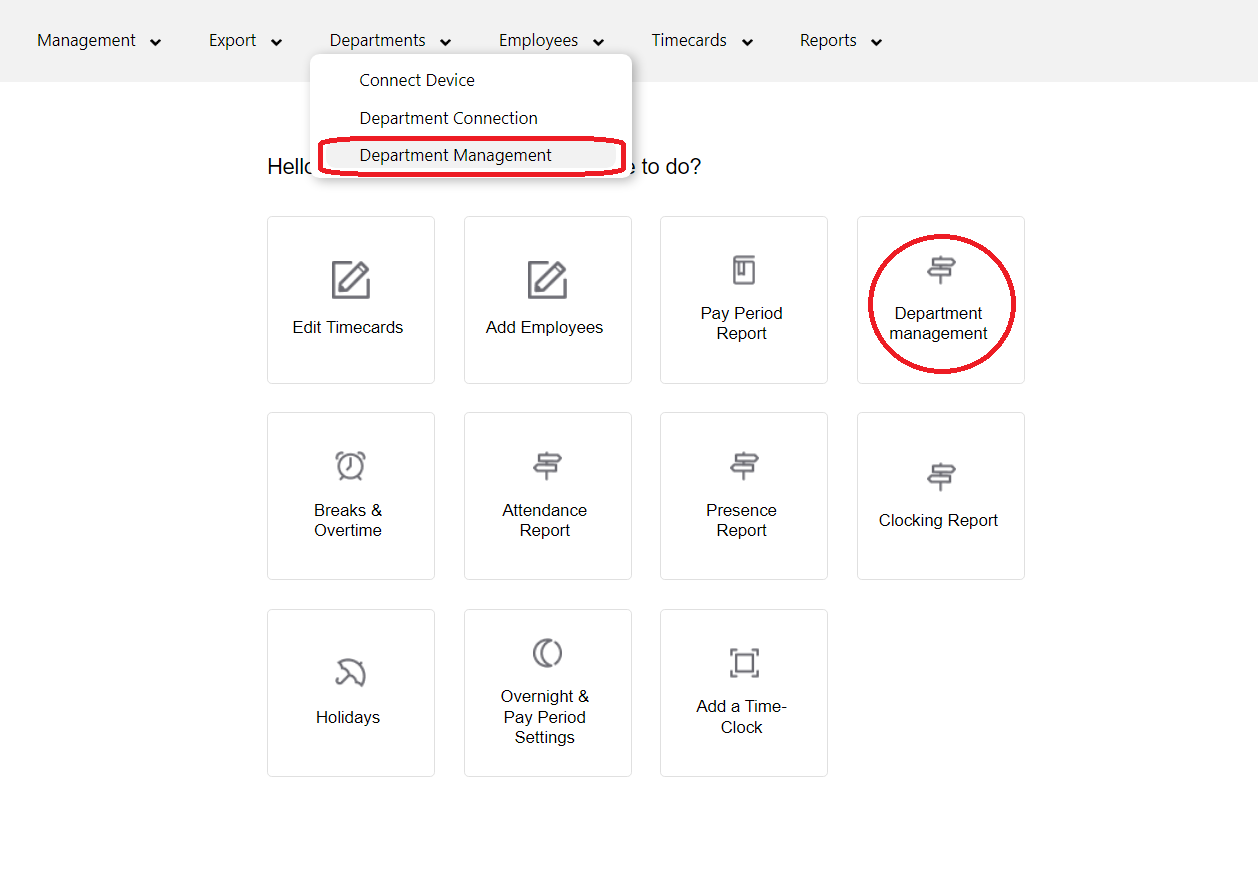
3. Double-click on the Department, the device in question is connected to, in order to edit the settings.
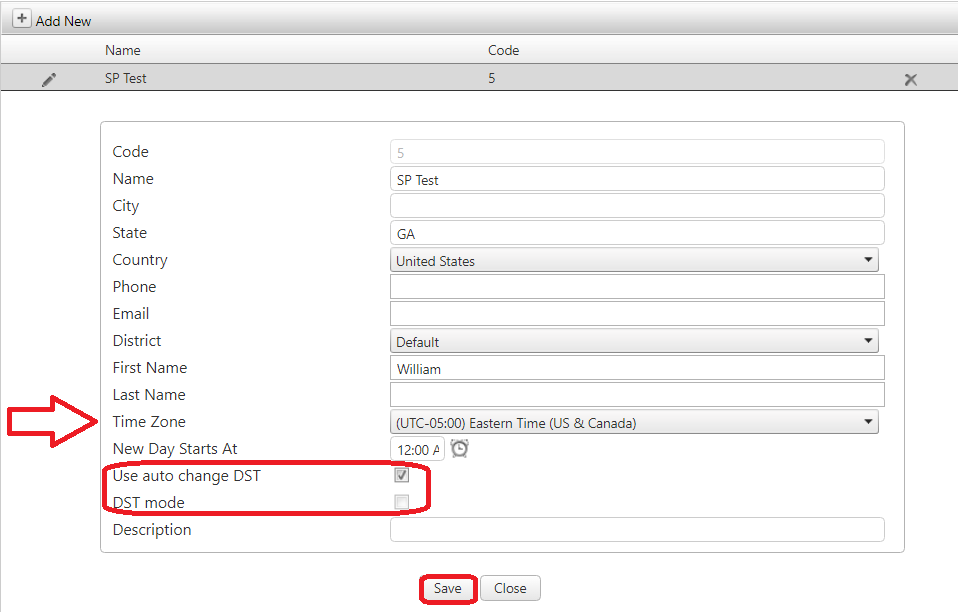
4. Choose the correct Time Zone from the drop-down menu, then click "Save" to apply the changes. Please make sure that "Use auto change DST" box is checked and the "DST mode" is unchecked.

We recommend rebooting the device by unplugging it for 10 seconds and then back in to enforce synchronization.

Alternatively, please allow up to 15 minutes for the device to update with the correct time.

If your device is connected to more than one department, make sure all departments are set to the same Time Zone.
If you do not subscribe to the Cloud Lite Account, please refer to the instructions in the QuickStart Guide shipped with your device.
If, for any reason, you do not have the QuickStart guide, please find it below;
If the Time & Date setting is still incorrect, please call support at 470-554-7334, Ext 4